

College life can be busy and stressful, with classes, assignments, and exams piling up. Notion helps students stay organized by combining notes, schedules, and tasks in one place. Using the best notion templates for college students makes it even easier to plan studies, manage time, and stay productive turning college chaos into clear structure and success.
Features to Look for in a Good Notion Template
A good Notion template should be simple, customizable, and easy to use. It must include task lists, deadlines, and calendar integration to keep studies organized. Templates that are visually clear and mobile-friendly make learning more efficient and enjoyable.
1. All-in-One Student Dashboard
This template is like your personal academic command center. It combines class schedules, assignments, grades, and to do lists into one clean dashboard. You can track each course, store lecture notes, and even plan upcoming exams.
It’s perfect for students who prefer everything in one place and want a quick overview of their week or semester. The dashboard can be customized with widgets, progress bars, and motivational quotes to make it both useful and visually appealing.
2. Assignment Tracker
The Assignment Tracker template is ideal for managing deadlines and keeping track of submissions. You can list your tasks by subject, due date, or priority. It also allows you to mark completed assignments, helping you visualize progress.
With this template, students can avoid last-minute stress and never forget important projects again. It’s a lifesaver during exam season when deadlines start piling up.
3. Study Planner Template
The Study Planner helps you create a structured study schedule. You can break down subjects into smaller topics, assign study hours, and plan revision sessions.
This template is great for students preparing for exams or managing multiple subjects at once. By planning ahead, you ensure steady progress rather than cramming everything at the last minute. It also helps improve focus and time management.
4. Habit and Goal Tracker
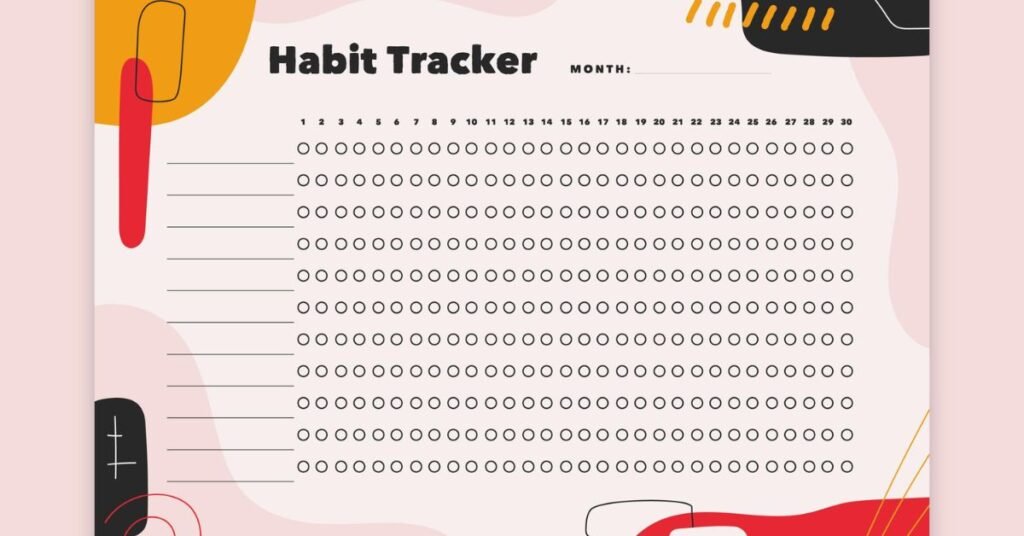
College is not just about academics, it’s also about developing healthy habits and personal discipline. The Habit and Goal Tracker template lets students monitor daily routines such as exercise, reading, journaling, or even sleep patterns.
It helps visualize consistency and motivates you to stick to your goals. Over time, it builds positive habits that support both mental health and academic success.
5. Budget and Expense Planner
Managing finances is one of the biggest challenges for college students. The Budget and Expense Planner template makes it easier by tracking income, spending, and savings.
Students can categorize expenses like food, transportation, books, and entertainment. With this visual tracker, you can see where your money goes and plan smarter for the future. It’s an essential tool for promoting financial responsibility early in life.
6. Lecture Notes Organizer
If your notes are scattered across different notebooks or apps, this template is for you. The Lecture Notes Organizer allows you to store and organize class notes by subject, topic, or date.

You can attach reading materials, images, and even links to online resources. It’s perfect for students who like a neat and accessible digital study space. During exams, it saves hours of searching by keeping everything structured and easy to find.
7. Semester Planner
A Semester Planner gives students a bird’s-eye view of their entire academic term. It includes course lists, important dates, midterm and final exam schedules, and personal goals.
This template helps with long-term planning allowing you to balance academics, work, and personal activities. It’s ideal for keeping track of deadlines and staying ahead throughout the semester.
8. Project Management Template
Group projects are common in college, but managing tasks among multiple people can be challenging. The Project Management Template helps divide work, assign responsibilities, and track progress.
It can include shared timelines, meeting notes, and task updates, ensuring smooth teamwork. This is especially useful for engineering, business, or design students who frequently work on collaborative projects.
9. Reading List or Book Tracker
For students who love reading or have many assigned books, the Reading List template is perfect. It helps you record what you’ve read, what’s pending, and your personal reflections or summaries.
This template keeps your reading organized and encourages a consistent reading habit. It’s particularly helpful for literature, humanities, or social science majors.
10. Career and Internship Tracker
As graduation approaches, students start thinking about internships or job applications. The Career and Internship Tracker helps organize your resume drafts, cover letters, company details, and application statuses.
It simplifies the job search process and ensures you never miss an opportunity. This template also helps track interview dates, feedback, and networking contacts giving you a professional head start before entering the workforce.
Importance of Using Notion for Students
For students, staying organized is one of the keys to success. College brings freedom but also responsibility. With so many tasks to handle, students often face stress, procrastination, and last-minute panic before deadlines. Notion helps solve this problem by centralizing everything in one place.
Instead of using separate tools for notes, assignments, and reminders, Notion combines them all. It helps students manage time effectively, plan ahead, and track progress throughout the semester. Using Notion also encourages digital discipline, a valuable habit in both academic and professional life.
Benefits of Using Notion Templates for Students
Using Notion templates brings countless benefits. First, they save time by providing ready-made systems that keep everything in order. They also encourage consistency and help students develop better organizational habits.
Templates make it easy to visualize progress, which motivates you to stay productive. Whether tracking finances, study schedules, or goals, Notion brings structure to student life. It also reduces stress by keeping all tasks visible and manageable, preventing last-minute chaos.
How to Choose the Right Template
The right Notion template depends on your academic and personal needs. If you like simplicity, go for minimal templates like an assignment tracker or study planner. If you prefer a more detailed setup, an all-in-one dashboard may be best.
It’s smart to start with free templates before investing in premium ones. Explore different layouts and customize them to match your learning style. The best template is one you’ll actually use daily, not the most complex one.
Tips to Make the Most Out of Notion Templates
To fully benefit from Notion, consistency is key. Update your templates daily or weekly to stay on track. Use reminders, progress bars, and color codes to make your workspace engaging.
Integrate your calendar or Google Drive to keep everything connected. You can also add motivational quotes or widgets that inspire you to keep working. Most importantly, review your progress regularly, adjust what’s not working and keep improving your system.
Conclusion
In college, managing time and staying organized can make the difference between stress and success. Notion provides students with a smart, flexible, and creative way to take control of their studies and life. By using templates, you save time and effort while building a digital space that supports your goals.
Whether you choose an all in one dashboard, a study planner, or a budgeting tool, each template brings you closer to a balanced and productive lifestyle. The key is not just using these tools, but using them consistently. With the right Notion setup, every student can turn chaos into clarity and make college life not just manageable, but truly rewarding.
FAQs
1. What is Notion and why is it useful for college students?
Notion is an all-in-one workspace app that helps students organize notes, assignments, projects, and schedules in one place. It boosts productivity and keeps college life well structured.
2. What are Notion templates?
Notion templates are pre-designed layouts that make it easier to manage specific tasks such as tracking assignments, budgeting, or planning study sessions without starting from scratch.
3. Are Notion templates free for students?
Yes, many Notion templates are completely free, and Notion also offers a free Education Plan for students with their college email address.
4. Which Notion template is best for managing assignments?
The Assignment Tracker or All-in-One Student Dashboard templates are ideal for managing homework, due dates, and exam schedules efficiently.
5. Can I customize Notion templates?
Absolutely! Notion templates are fully customizable; you can change layouts, colors, and sections to match your personal study style or preferences.
6. Do Notion templates work on mobile devices?
Yes, Notion syncs across devices, so you can access your templates anytime through your phone, tablet, or laptop.
7. How can I use Notion for group projects?
You can use Project Management Templates in Notion to assign tasks, track progress, and collaborate with teammates easily in real-time.
8. What’s the best Notion template for time management?
The Study Planner or Semester Planner templates are great for organizing daily tasks, exams, and long-term academic goals.
9. Can Notion help with budgeting for students?
Yes, the Budget Planner Template helps students track spending, plan monthly expenses, and save money efficiently.
10. How do I find the best notion templates for college students?
You can explore Notion’s official template gallery or trusted creators on platforms like Reddit, Gumroad, or Notion.so for a wide range of free and paid student templates.